Frontend
Our frontend stack is built around Vue 3, Nuxt 4, and TypeScript. We prioritize type safety, developer experience, and performance.
Architecture Overview
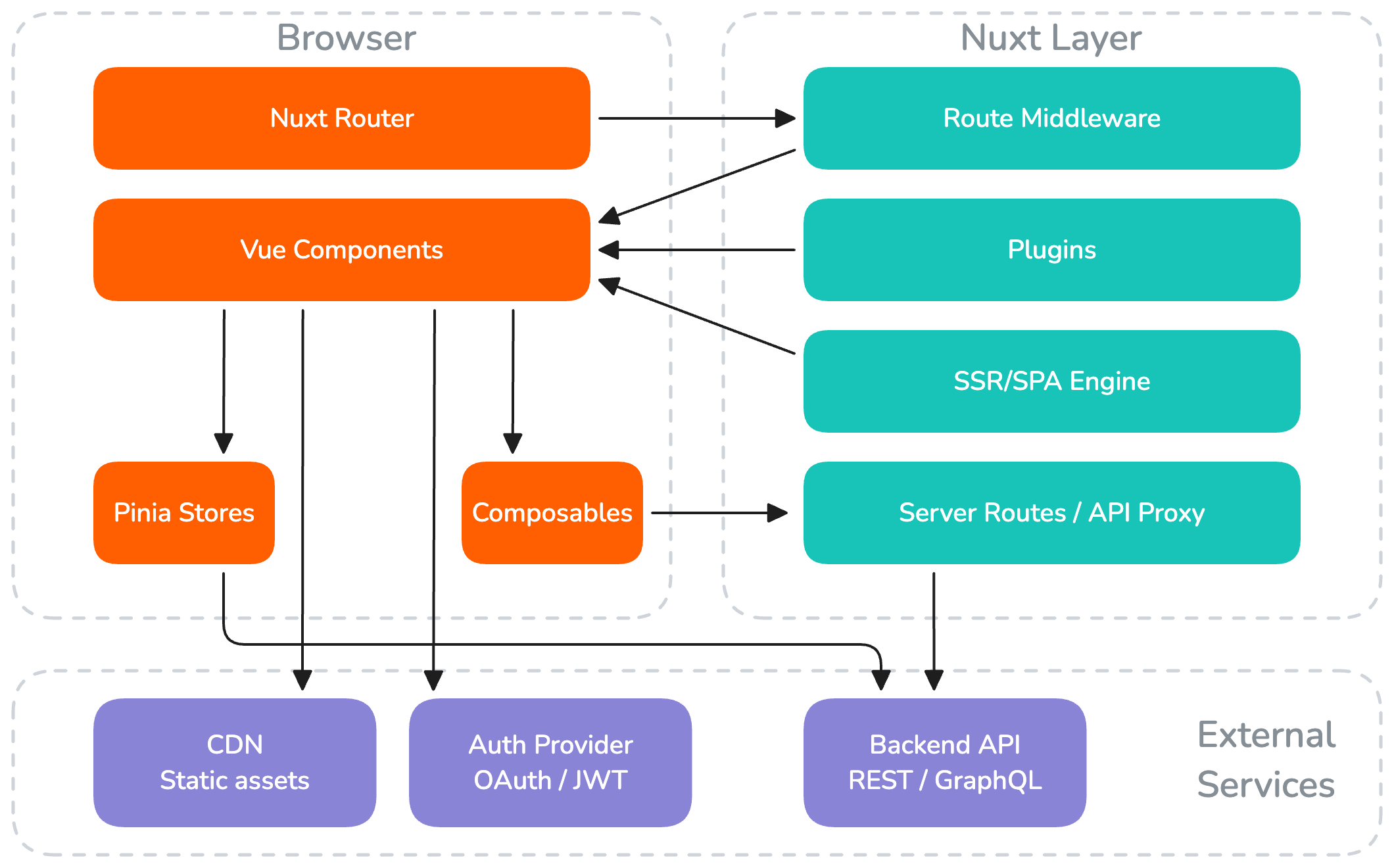
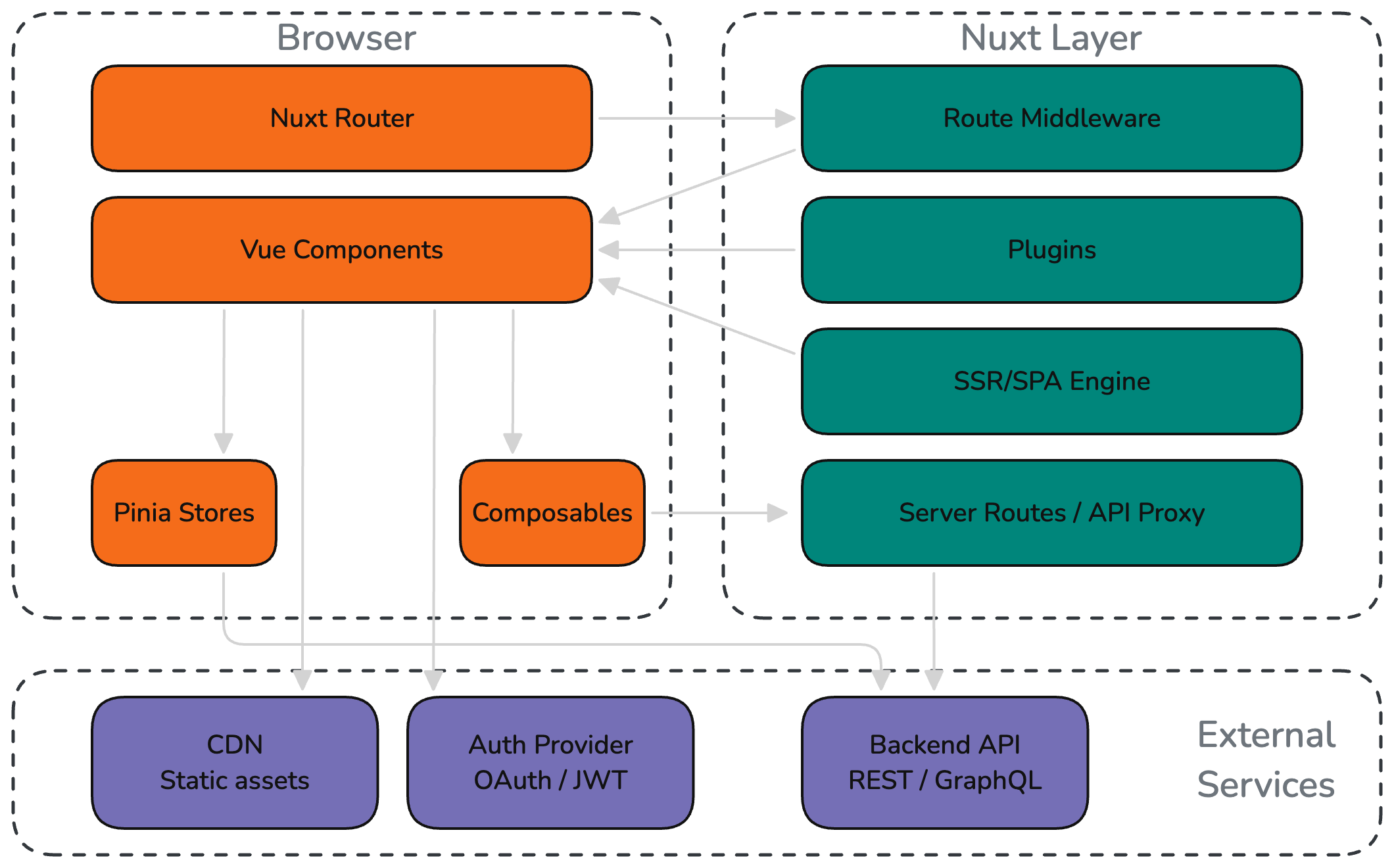
Core Technologies
Vue 3 + Composition API
Vue 3 with the Composition API is our primary UI framework. We use <script setup> syntax exclusively for new projects, which provides the most concise and type-safe component authoring experience.
<script setup lang="ts">
import { ref, computed } from 'vue'
import { useUser } from '~/composables/useUser'

type Props = {
    projectId: string
}

const props = defineProps<Props>()

const { user, loading } = useUser()
const greeting = computed(() => `Hello, ${user.value?.name}`)
</script>

<template>
    <div v-if="loading">Loading...</div>
    <h1 v-else>{{ greeting }}</h1>
</template>
Why Vue:
- Gentle learning curve with progressive adoption
- Excellent TypeScript integration with the Composition API
- Strong ecosystem (Nuxt, Pinia, VueUse, DevTools)
- Performant reactivity system with fine-grained updates
- Active community and long-term maintenance by a dedicated core team
Nuxt 4
Nuxt 4 is our default framework for Vue applications. It provides a production-ready foundation with conventions that reduce decision fatigue and boilerplate.
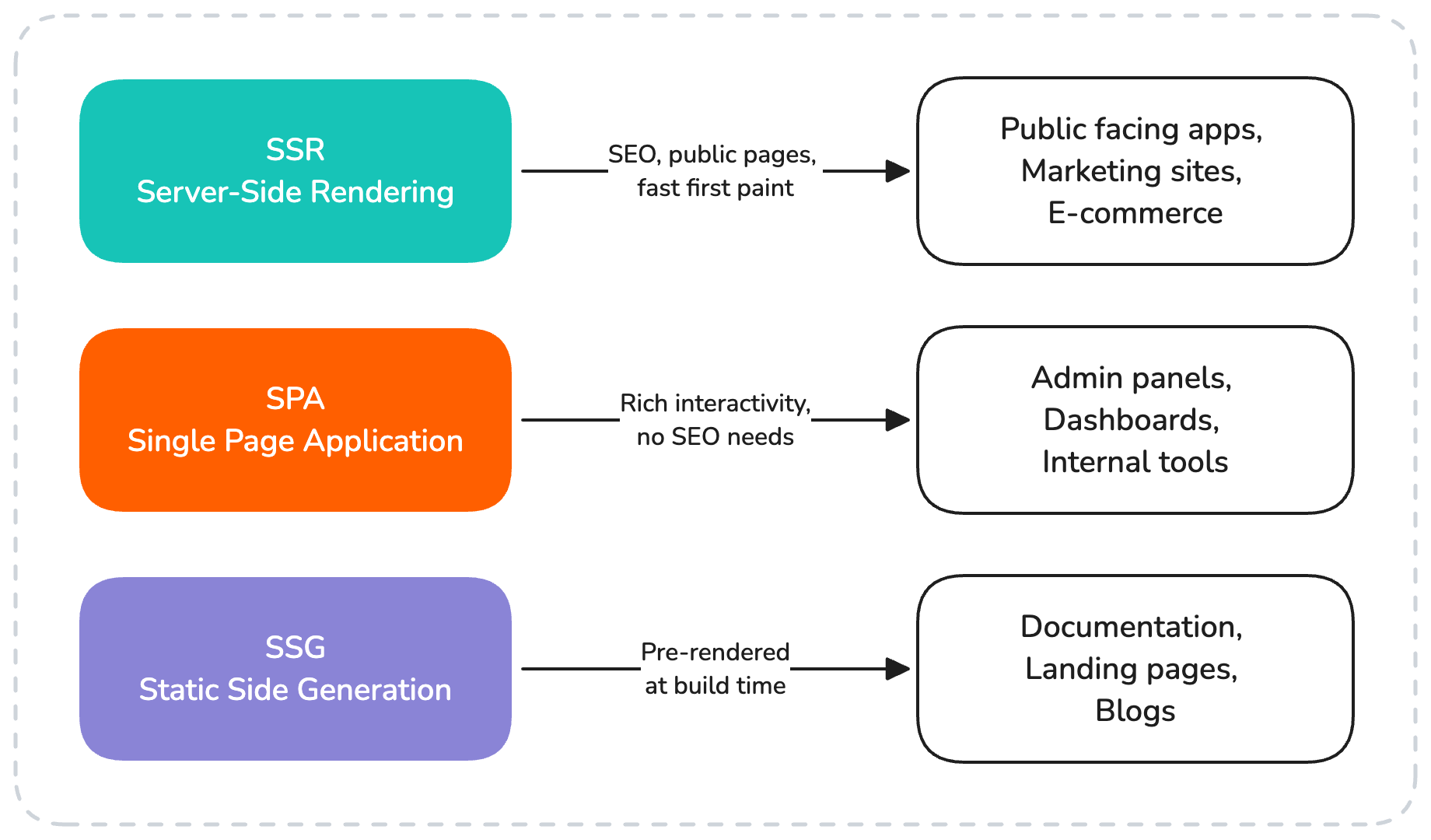
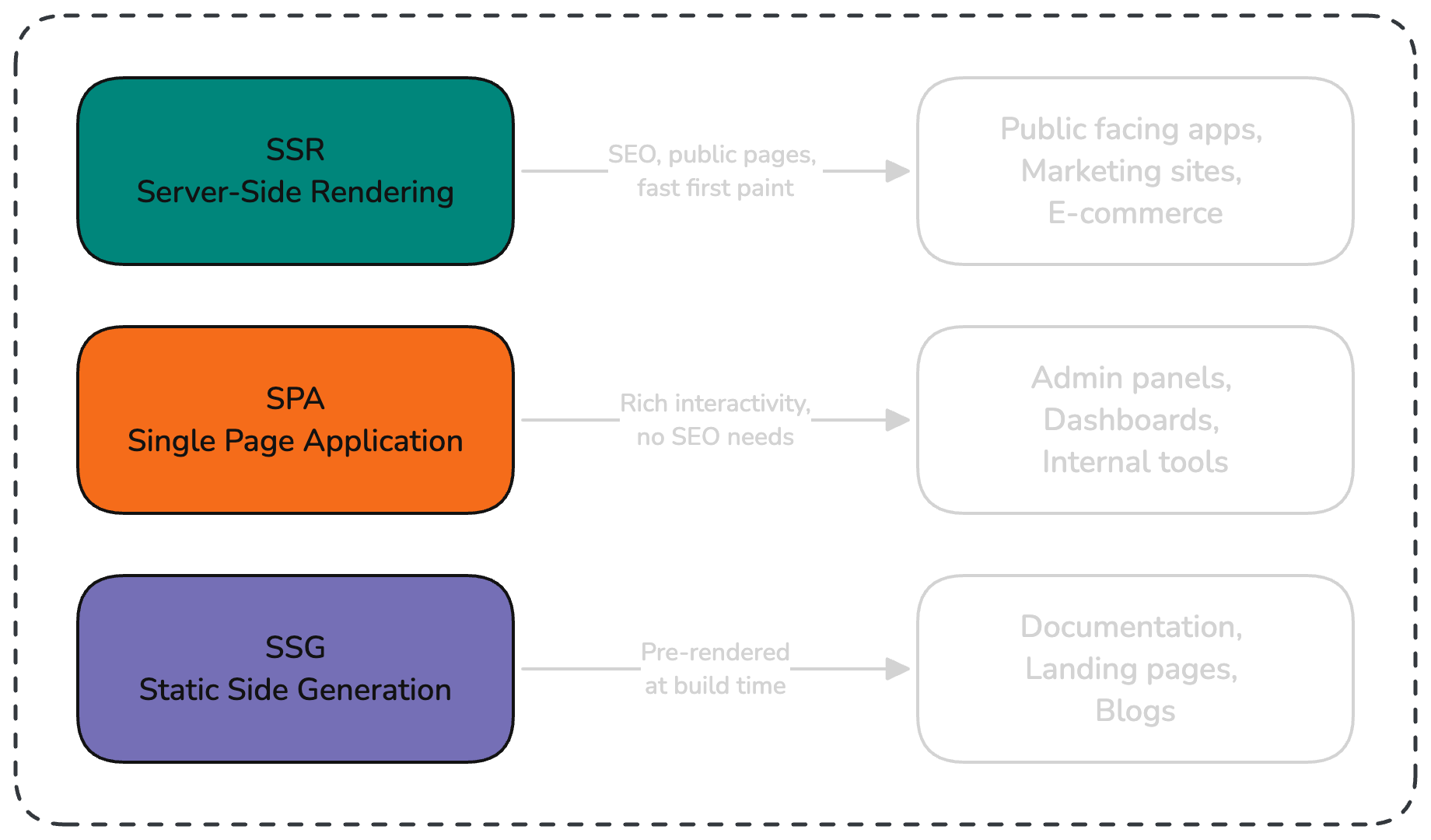
Key capabilities:
- Server-side rendering — Fast initial page loads and SEO for public-facing apps
- File-based routing — Pages are automatically generated from the
pages/directory - Auto-imports — Vue APIs, composables, and components are available without manual imports
- Server routes — Lightweight backend endpoints within the Nuxt app (
server/api/) - Module ecosystem — Rich set of official and community modules for common needs
When to use Nuxt:
- Public-facing applications that benefit from SSR/SEO
- Admin panels and dashboards (using SPA mode)
- Any new Vue project — Nuxt's conventions reduce boilerplate
When plain Vue (Vite) is sufficient:
- Embedded widgets or micro-frontends
- Simple single-page apps with no routing needs
TypeScript
All frontend code is written in TypeScript with strict mode enabled. API types are inferred from the backend via code generation — we don't manually write types for API responses.
TypeScript benefits in our stack:
- Catches errors at compile time, before they reach production
- Enables IDE auto-completion and refactoring across the entire codebase
- API types are auto-generated from the backend schema (OpenAPI/GraphQL codegen), ensuring frontend and backend stay in sync
- Types serve as living documentation — when the API changes, the generated types break at compile time, not at runtime
State Management
Pinia
Pinia is our state management library. It integrates natively with Vue's reactivity system and supports TypeScript out of the box.
// stores/auth.ts
export const useAuthStore = defineStore('auth', () => {
    const user = ref<User | null>(null)
    const isAuthenticated = computed(() => !!user.value)

    async function login(credentials: LoginDto) {
        const response = await $fetch<User>('/api/auth/login', {
            method: 'POST',
            body: credentials,
        })
        user.value = response
    }

    function logout() {
        user.value = null
        navigateTo('/login')
    }

    return { user, isAuthenticated, login, logout }
})
Guidelines:
- One store per domain concern (auth, users, settings)
- Use composable-style stores (setup function syntax)
- Keep stores thin — business logic belongs in composables or API layers
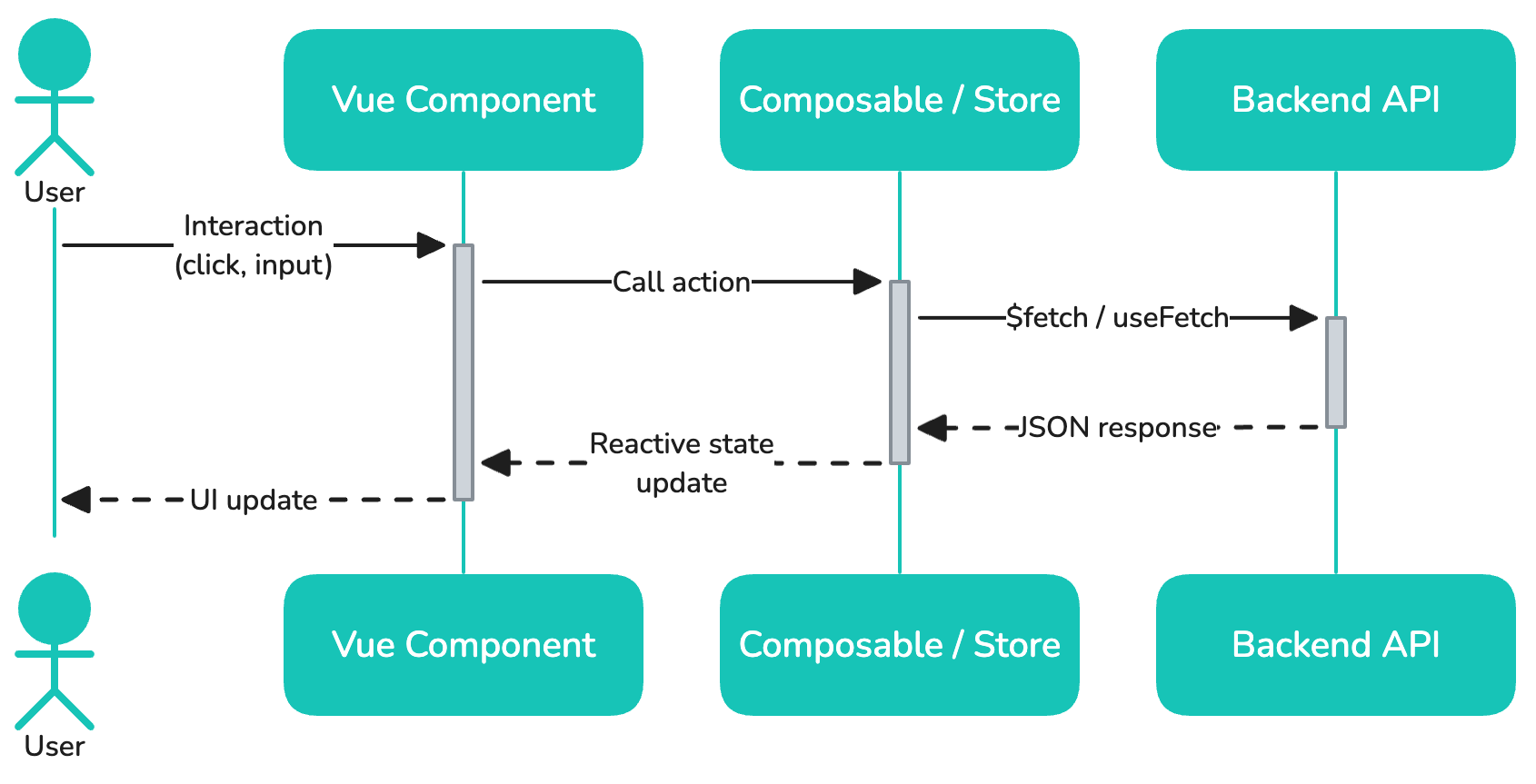
Data Flow
Build Tooling
Vite
Vite is the underlying build tool for both Vue and Nuxt projects. It provides:
- Instant HMR — Changes reflect in the browser in milliseconds during development
- Optimized builds — Tree-shaking, code splitting, and asset optimization for production
- Plugin ecosystem — Extensible via Rollup-compatible plugins
Project Structure
project/
├── pages/              # File-based routing
│   ├── index.vue       # → /
│   ├── login.vue       # → /login
│   └── users/
│       ├── index.vue   # → /users
│       └── [id].vue    # → /users/:id
├── components/         # Auto-imported components
│   ├── AppHeader.vue
│   └── UserCard.vue
├── composables/        # Shared reactive logic
│   ├── useAuth.ts
│   └── useUsers.ts
├── stores/             # Pinia state management
│   └── auth.ts
├── layouts/            # Page layouts
│   └── default.vue
├── middleware/          # Route middleware
│   └── auth.ts
├── plugins/            # Nuxt plugins (Sentry, etc.)
├── server/             # Server routes and middleware
│   └── api/
├── utils/              # Auto-imported helper functions
├── types/              # TypeScript type definitions
└── nuxt.config.ts      # Nuxt configuration
Key Conventions
- Auto-imports: Nuxt auto-imports Vue APIs, composables, components, and the contents of
utils/— no manual imports needed in most cases - CSS: Use Tailwind for utility classes. Reach for
<style scoped>only for one-off component tweaks that don't fit utilities (animations, third-party widget overrides) - API calls: Use the generated API client built from the backend's OpenAPI/Swagger spec — this gives us typed requests and responses out of the box and keeps frontend and backend contracts in sync. Hand-rolled
useFetch/$fetchcalls are reserved for the rare endpoints that aren't part of the generated spec (third-party APIs, server routes) - i18n: Wire up
@nuxtjs/i18nfrom day one even on single-language projects. Retrofitting i18n later means touching every string in the app — the upfront cost is far smaller than the migration cost
Browser Support
We target modern evergreen browsers (Chrome, Firefox, Safari, Edge — latest 2 versions). IE11 is not supported.