Third-Party Integrations & APIs
This page documents common third-party services we integrate with and the patterns we follow for clean, maintainable integrations.
Integration Architecture
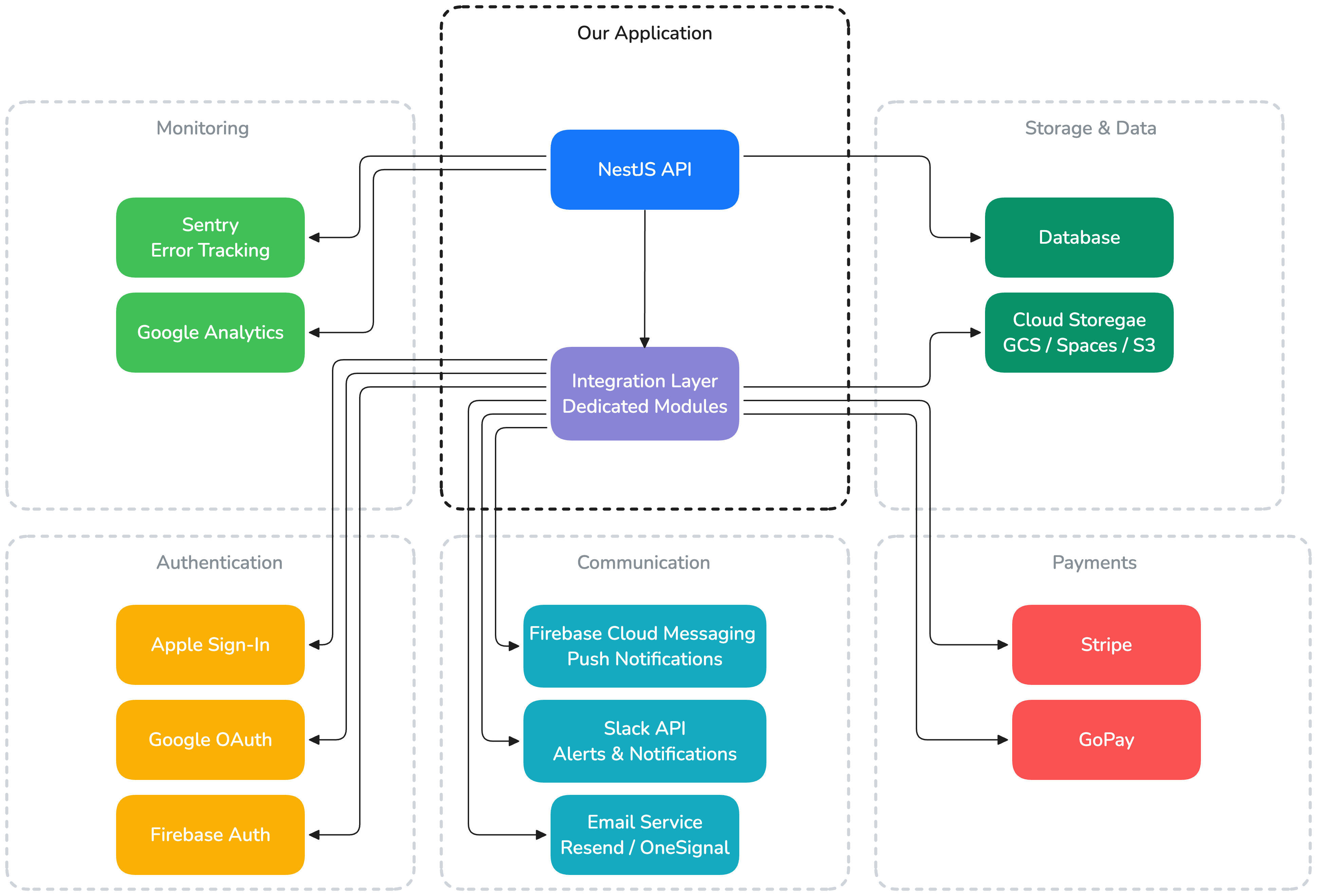
Integration Patterns
Wrapping External Services
Always wrap third-party services in a dedicated NestJS module. This isolates external dependencies and makes them easy to swap or mock.
// integrations/email/email.module.ts
@Module({
    providers: [EmailService],
    exports: [EmailService],
})
export class EmailModule {}

// integrations/email/email.service.ts
@Injectable()
export class EmailService {
    constructor(private readonly configService: ConfigService) {}

    async sendEmail(to: string, template: string, data: Record<string, unknown>): Promise<void> {
        // Provider-specific implementation
    }
}
Why wrap:
- Feature modules depend on
EmailService, not on a specific provider - Switching from one email provider to another only changes one file
- Easy to mock in tests
Integration Flow
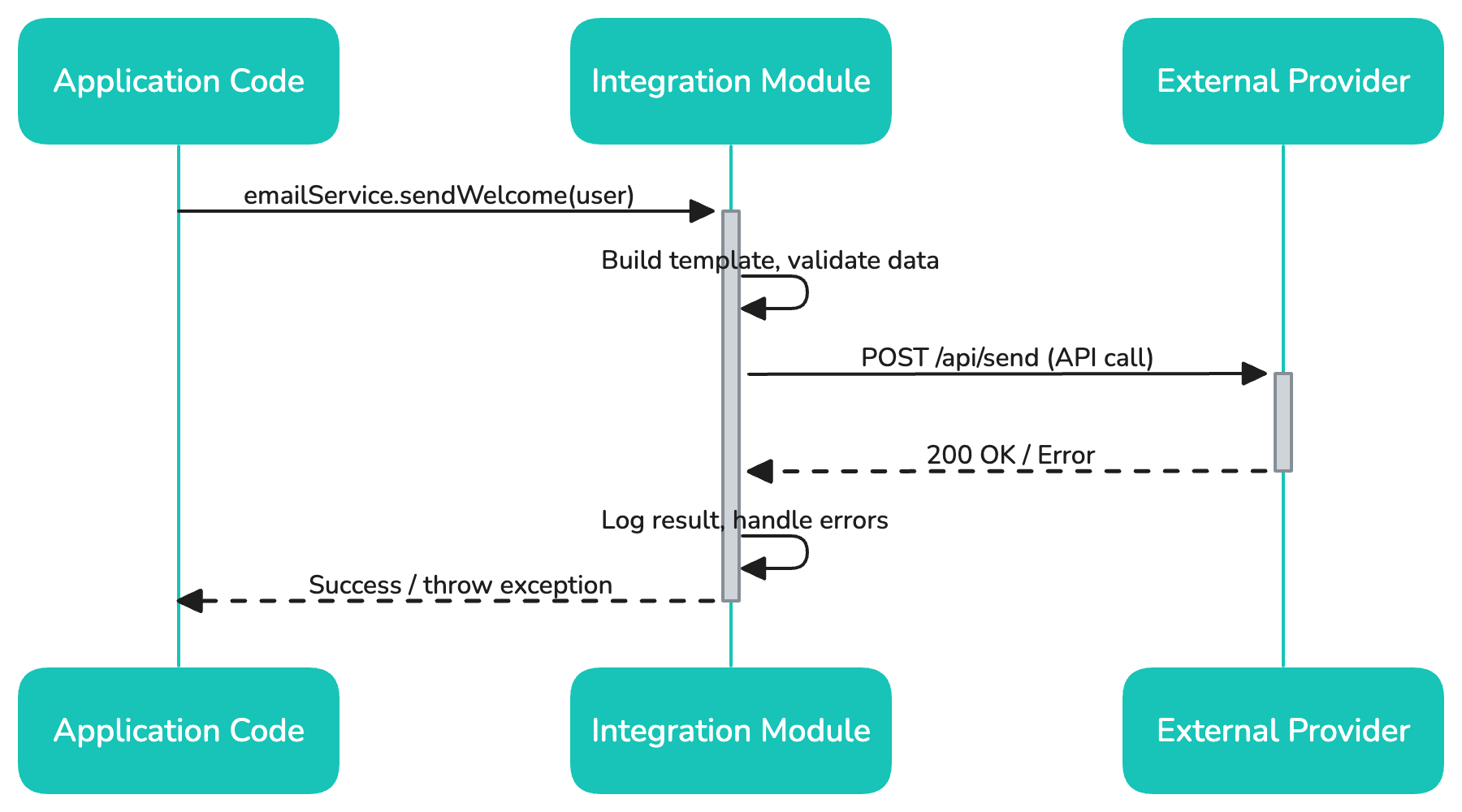
Configuration
All integration credentials are managed as environment variables, never hardcoded:
// integrations/storage/storage.service.ts
@Injectable()
export class StorageService {
    private readonly bucket: string

    constructor(private readonly configService: ConfigService) {
        this.bucket = this.configService.getOrThrow<string>('STORAGE_BUCKET')
    }
}
Common Integrations
- Resend — Transactional emails, our primary email provider
- OneSignal — Email and push notification platform
Emails are sent via API, not SMTP. We use templates managed in the email provider's dashboard or in-code with MJML/HTML.
File Storage
- GCP Cloud Storage — For GCP-hosted projects
- Digital Ocean Spaces — S3-compatible, for DO-hosted projects
- AWS S3 — When the client's infrastructure is on AWS
// Common pattern: generate signed upload URLs
async getUploadUrl(fileName: string): Promise<string> {
    const key = `uploads/${Date.now()}-${fileName}`
    return this.storage.getSignedUrl(key, {
        action: 'write',
        expires: Date.now() + 15 * 60 * 1000, // 15 minutes
        contentType: 'application/octet-stream',
    })
}
Payments
- Stripe — Primary payment processor
- GoPay — Used for Czech/Slovak market projects
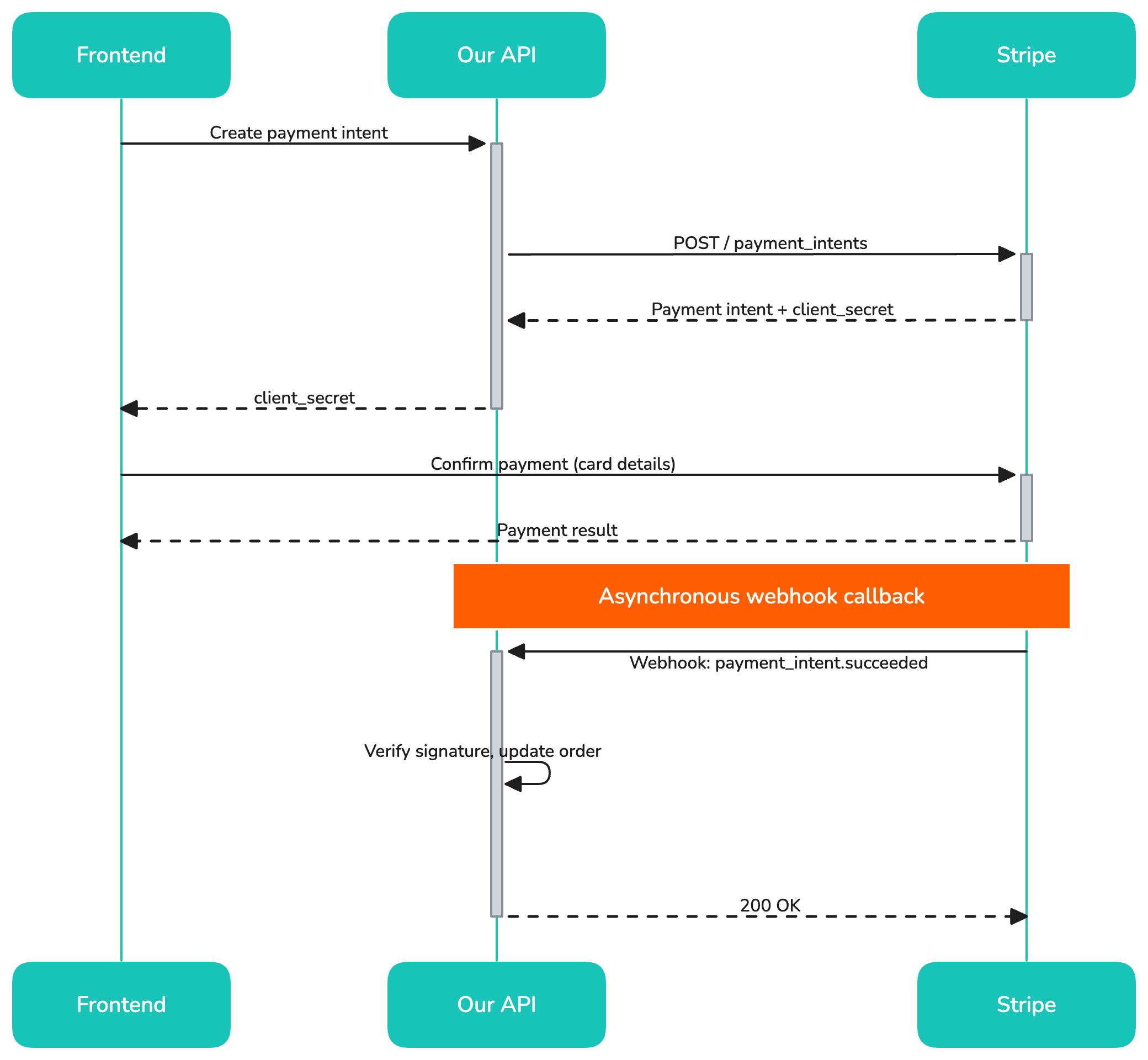
For payments, we always:
- Use webhooks to confirm payment status (never trust client-side callbacks alone)
- Store payment events in our database for auditability
- Implement idempotency keys for retry safety
Authentication Providers
- Google OAuth — Most common social login
- Apple Sign-In — Required for iOS apps with social login
- Firebase Auth — Managed authentication for projects that don't need custom auth logic
See Authentication & Authorization for implementation details.
Analytics & Monitoring
- Sentry — Error tracking and performance monitoring (see Monitoring)
- Google Analytics — Web analytics (frontend)
- Mixpanel / PostHog — Product analytics when needed
Communication
- Slack API — Build notifications, deployment alerts, CI/CD integration
- Firebase Cloud Messaging (FCM) — Push notifications for mobile and web apps
Integration Checklist
When adding a new third-party integration:
- [ ] Create a dedicated module in
src/integrations/<service>/ - [ ] Add required environment variables to
docker-compose.dist.ymland.env.example - [ ] Document the integration in the project README
- [ ] Add error handling for API failures (retries, circuit breakers for critical paths)
- [ ] Write integration tests with mocked responses
- [ ] Verify the service has acceptable uptime SLAs for production use