DevOps & Infrastructure
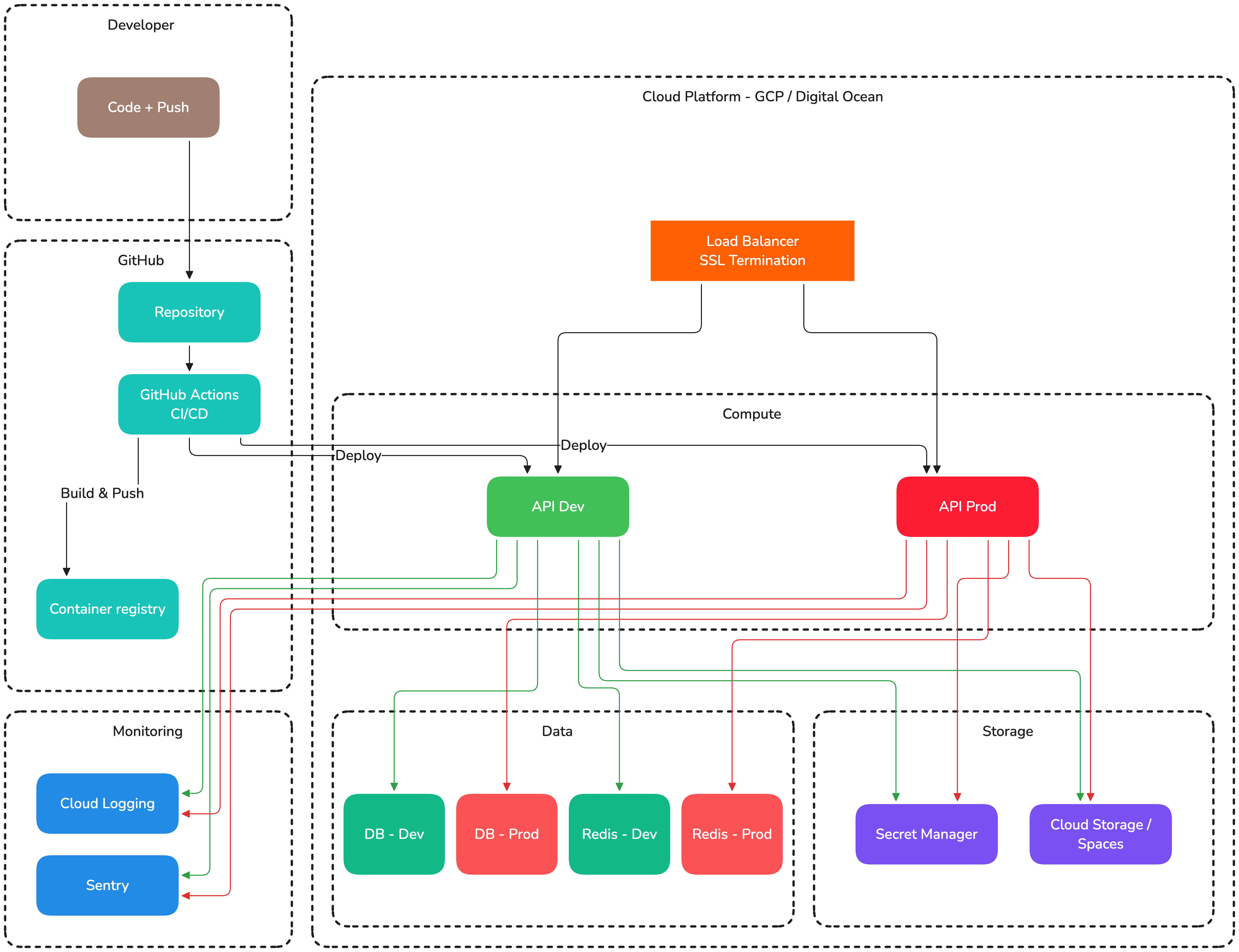
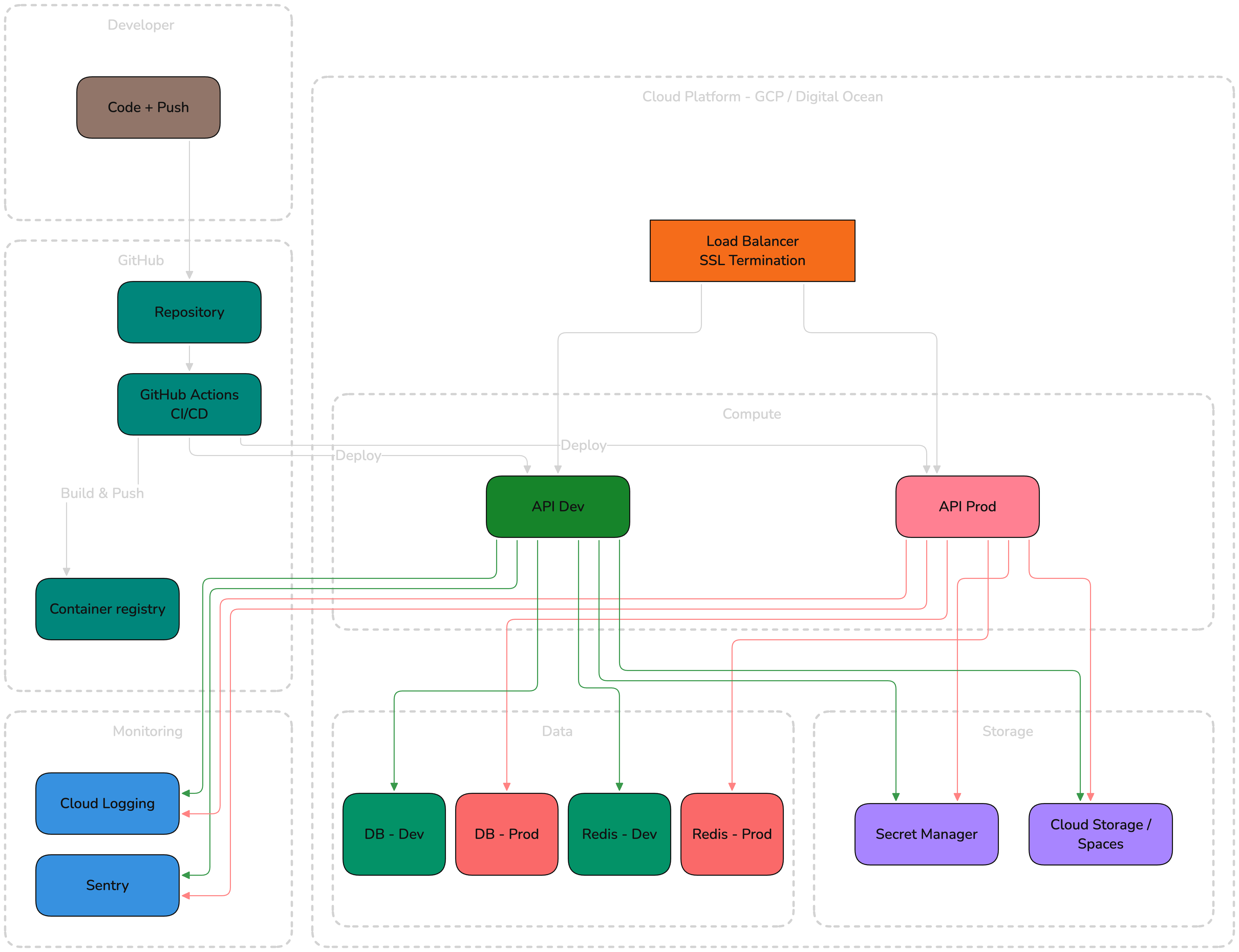
Our infrastructure is containerized, automated, and deployed via CI/CD pipelines. We run primarily on Google Cloud Platform (GCP), with Digital Ocean used for smaller internal applications.
Infrastructure Overview
Docker
Every project is containerized for both development and production.
Development
We use Docker Compose for local development environments:
# docker-compose.dist.yml
services:
  api:
    build:
      context: ./api
      dockerfile: dev.Dockerfile
    volumes:
      - ./api/src:/app/src
    ports:
      - "8080:8080"
    depends_on:
      - postgres
      - cache

  postgres:
    image: postgres:18-alpine
    environment:
      POSTGRES_DB: myapp
      POSTGRES_USER: myapp
      POSTGRES_PASSWORD: localdev
    ports:
      - "5432:5432"
    volumes:
      - pgdata:/var/lib/postgresql/data

  cache:
    image: redis:7-alpine
    ports:
      - "6379:6379"

volumes:
  pgdata:
Production
Production containers use multi-stage builds for minimal image size:
# Build stage — installs all dependencies (incl. dev) and compiles the app
FROM node:24-alpine AS builder
WORKDIR /app
COPY package.json yarn.lock ./
RUN yarn install --frozen-lockfile
COPY . .
RUN yarn build

# Deps stage — installs production dependencies only, used for the runtime image
FROM node:24-alpine AS deps
WORKDIR /app
COPY package.json yarn.lock ./
RUN yarn install --frozen-lockfile --production

# Runtime stage — minimal image with build artifacts and prod-only node_modules
FROM node:24-alpine
WORKDIR /app
ENV NODE_ENV=production
COPY --from=deps /app/node_modules ./node_modules
COPY --from=builder /app/dist ./dist
COPY package.json ./

EXPOSE 8080
CMD ["node", "dist/main.js"]
The dev-dependency split matters: the build stage needs the TypeScript compiler, NestJS CLI, and friends to produce dist/, but shipping those in the runtime image bloats it and increases the attack surface. Running yarn install --frozen-lockfile --production in a separate stage keeps the runtime node_modules lean.
CI/CD Pipeline
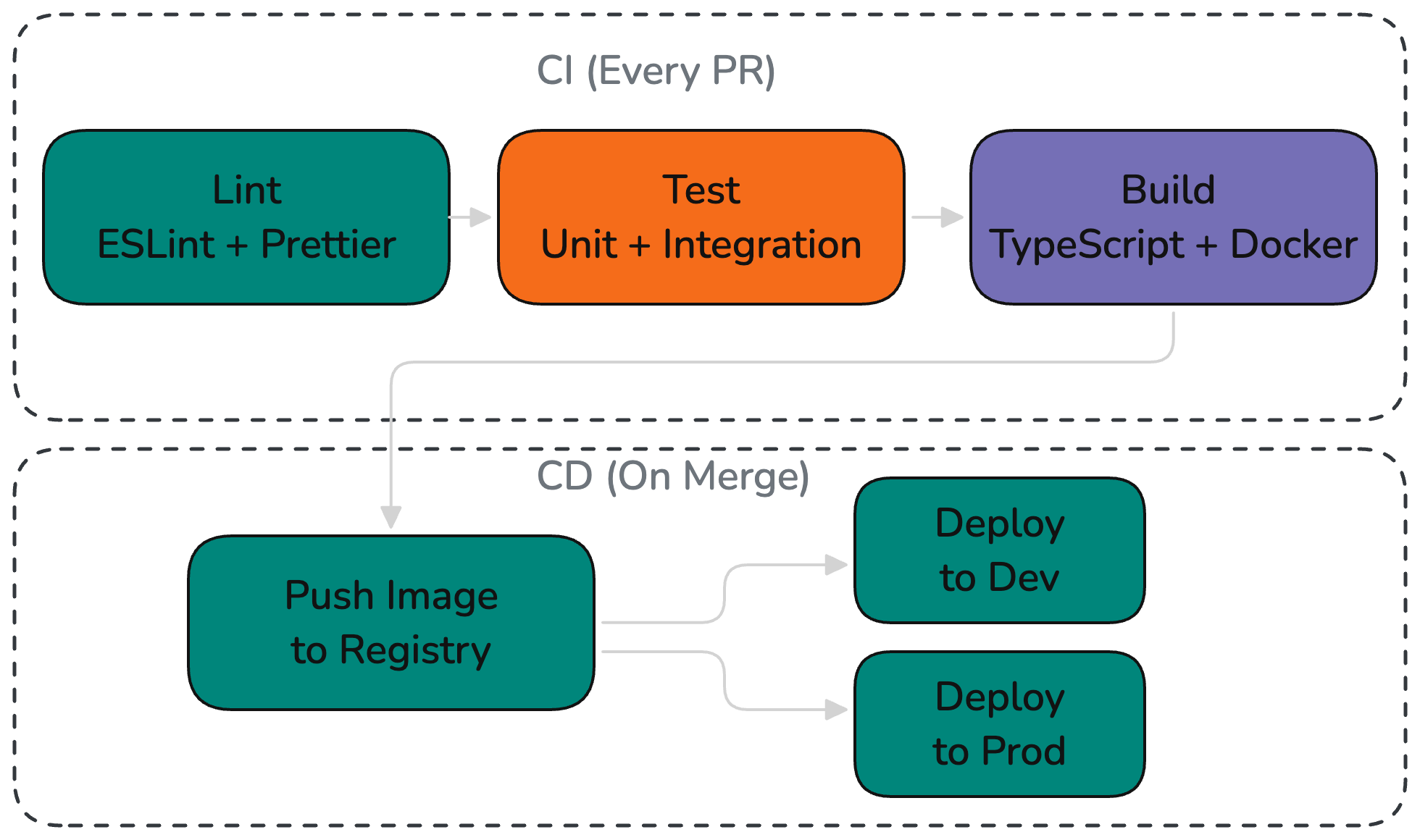
All projects use GitHub Actions for continuous integration and deployment. The specific workflow varies per project, but the process follows the same stages:
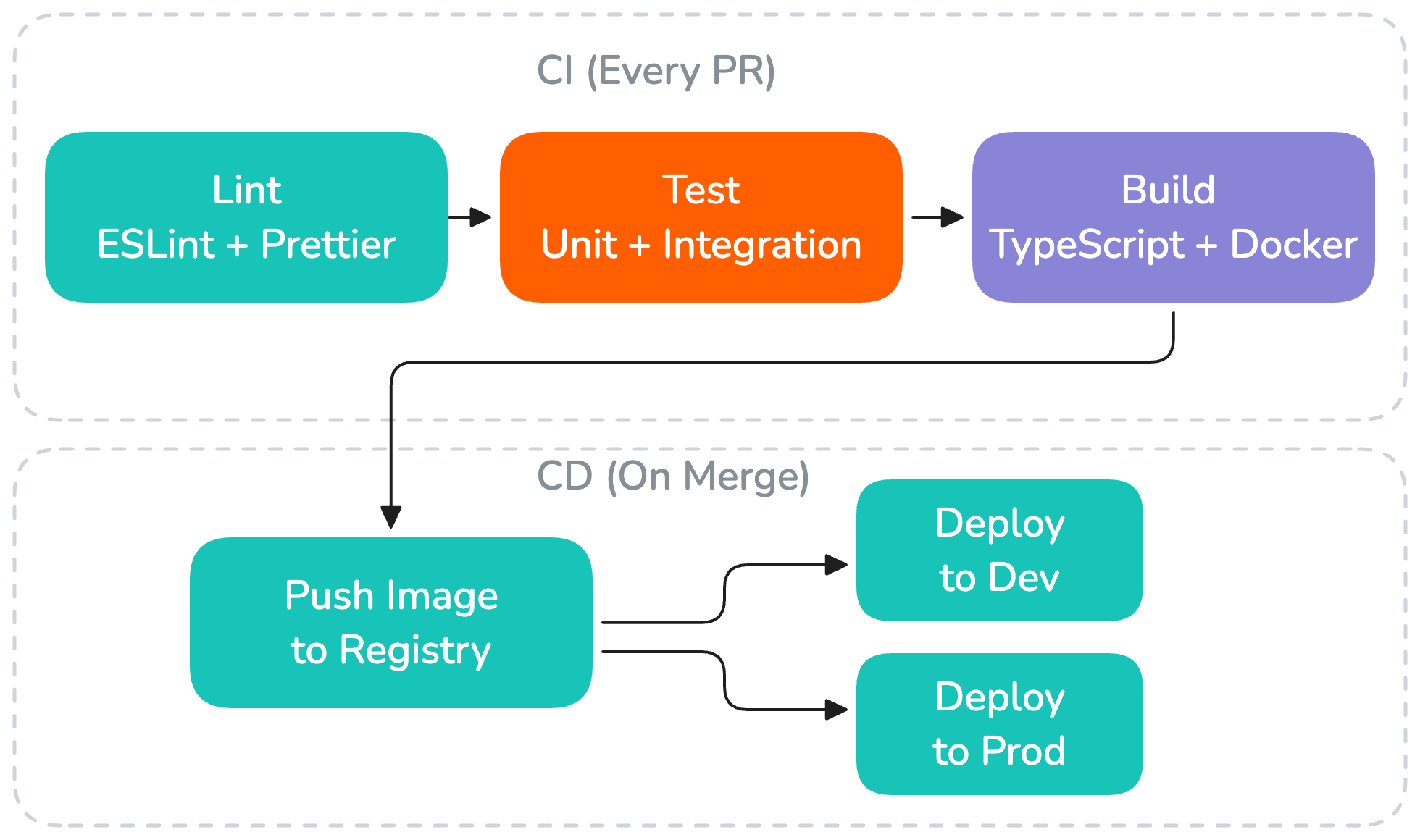
- Lint — ESLint + Prettier checks ensure code quality
- Test — Unit and integration tests verify functionality
- Build — TypeScript compilation and Docker image build verify everything compiles
- Push — Docker image is tagged with the commit SHA and pushed to the container registry
- Deploy — The new image is deployed to the target environment
See Deployment Process for detailed deployment procedures.
Hosting Platforms
Google Cloud Platform (GCP)
Used for larger or more complex projects:
- Cloud Run — Serverless container hosting (primary compute)
- Cloud SQL — Managed PostgreSQL
- Cloud Storage — File storage and static assets
- Secret Manager — Secrets management
- Cloud Build — Container image builds (alternative to GitHub Actions)
Digital Ocean
Used primarily for our own internal smaller applications. Client projects run on GCP.
- App Platform — Container and static site hosting
- Managed Database — PostgreSQL and Redis
- Spaces — Object storage (S3-compatible)
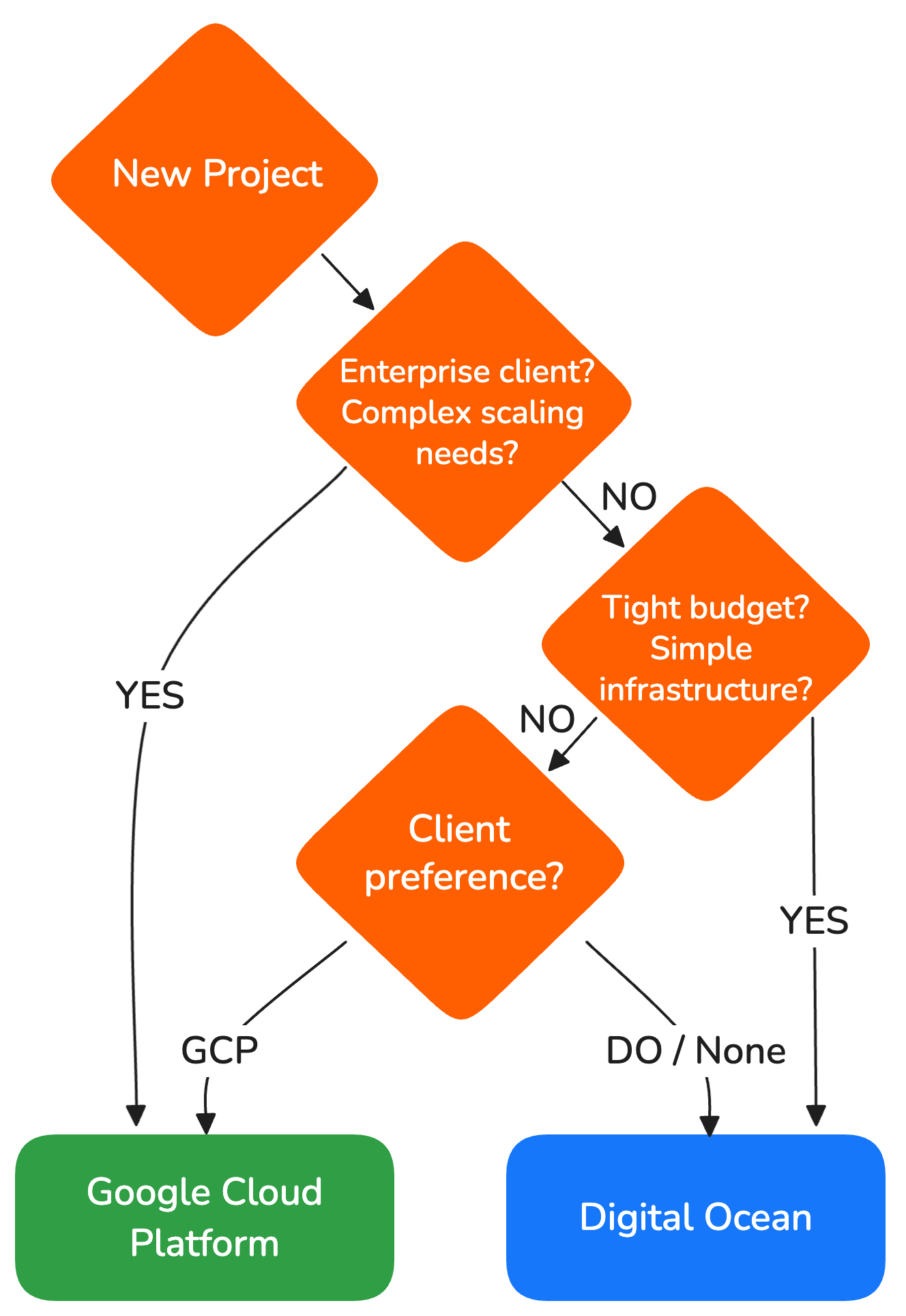
Choosing a Platform
| GCP | Digital Ocean | |
|---|---|---|
| Best for | Complex apps, scaling needs, enterprise clients | Internal apps, simpler setups |
| Pricing model | Pay-per-use | Predictable monthly pricing |
| Managed services | Extensive (50+ services) | Focused (core services) |
The choice is made per project based on client requirements, budget, and complexity.
Infrastructure as Code
Current State
New projects use the standardized IaC template from fullstack-template. Infrastructure state is stored in a GCS bucket per project. Infrastructure changes are applied by running Pulumi locally, in cooperation with the DevOps team.
Where We Are
- Older projects have infrastructure provisioned manually or have legacy Terraform setups that are no longer actively maintained
- A standardized IaC template is available in fullstack-template and is used for new projects
- Infrastructure state is stored in a GCS bucket per project
- Infrastructure changes are applied by running Pulumi locally, in cooperation with the DevOps team
Where We Want to Be
- Every new project uses the IaC template from
fullstack-templatefrom day one - Infrastructure changes go through PR review, just like application code
- Infrastructure deployments are automated via CI/CD, eliminating the need for manual applies
Environment Promotion
Code flows through environments in this order:


Each environment has its own:
- Database instance
- Environment variables and secrets
- Domain / URL
- Resource allocation (dev uses smaller instances)